

The Blink Outdoor 4 is the best budget outdoor security camera you can buy right now. It costs around $100, runs on AA batteries for up to two years, and works straight out of the box without a subscription. It is not going to beat a $300 Arlo. But for most people protecting a driveway, side gate, or backyard, it does not need to.
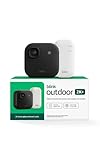
If you want 2K resolution instead of 1080p, Blink now makes the Outdoor 2K+ at the same price point. This review covers both so you can pick the right one.
Outdoor 4 vs. Outdoor 2K+: Quick Comparison
Blink currently sells two current-generation Outdoor cameras. Here is how they differ:
| Outdoor 4 (2023) | Outdoor 2K+ (2024) | |
|---|---|---|
| Resolution | 1080p (1920×1080) | 2K (2560×1440) |
| Field of view | 143 degrees diagonal | 143 degrees diagonal |
| Night vision | IR only (black and white) | Color in low light, IR in darkness |
| Battery life | Up to 2 years | Slightly shorter (2K processing) |
| Local storage | Via Sync Module 2 USB port | Sync Module Core (no USB port) |
| Sync Module XR range | Full extended range support | Not supported |
| Price (1-cam bundle) | ~$70-80 camera only | ~$99 with Sync Module Core |
The short version: if you want local storage or maximum battery life, go with the Outdoor 4. If you want better resolution and do not mind cloud-only storage on the basic bundle, the 2K+ is a lateral upgrade worth considering.
Video Quality: Day and Night
Daytime 1080p footage from the Outdoor 4 is clear enough to identify faces and read plates if someone is within 20 feet. Beyond that, detail gets soft – which is typical for cameras in this price range. The 143-degree field of view is genuinely wide and covers most mounting scenarios without needing to pan.
Night vision is infrared only. You get black-and-white footage, not color. The IR range is usable out to about 20-25 feet under normal conditions. It is not going to catch fine detail at the edge of a large yard, but for a porch, driveway approach, or gate, it works.
One thing to be clear about: neither the Outdoor 4 nor the 2K+ has color night vision built in. The 2K+ adds “color vision in low light” – meaning it captures color at dusk or in areas with ambient lighting before switching to IR mode. For true color night vision, you need to add the Blink Outdoor 4 Floodlight Mount, which pairs a built-in LED floodlight with the Outdoor 4 to illuminate the scene in color. That is sold separately.
Motion Detection in Practice
Motion detection on the Outdoor cameras is configurable, which matters more than most reviews acknowledge. You get adjustable sensitivity, motion zones, and activity zones – the last of which lets you draw exclusion areas on the frame so you stop getting alerts every time a tree branch moves or a car passes in the background.
The Outdoor 4 also adds person detection (available with a subscription plan). Without a subscription, you still get motion alerts – you just do not get the AI-filtered “a person was detected” distinction. For most home setups, basic motion detection is fine.
For more on dialing in detection, see the guide on Blink camera sensitivity settings.
Battery Life: What Blink Says vs. Reality
Blink claims up to two years of battery life on two AA lithium batteries. That number assumes default settings and low activity – roughly a few motion events per day. Crank up sensitivity, enable live view frequently, or mount it near a busy street, and you will chew through batteries considerably faster.
Real-world estimates from users with moderate activity (10-20 clips per day) tend to land at 6-12 months before a swap. Still excellent for a wireless outdoor camera. The 2K+ runs slightly shorter cycles due to the processing overhead of higher-resolution recording.
Blink specifies AA lithium non-rechargeable batteries. Energizer Ultimate Lithium AAs are the standard recommendation – they handle cold weather better than alkalines and match Blink’s rated performance. Do not use rechargeable NiMH batteries; the lower voltage causes early low-battery warnings.
One useful thing: if you mount in a spot that is awkward to reach, Blink sells an Outdoor 4 Battery Extension Pack that takes four AA batteries instead of two – cutting the swap frequency roughly in half.
Installation and Setup
Setup is genuinely fast. Download the Blink app, create an account, add your Sync Module (required for all Outdoor cameras), then scan the QR code on each camera to add it to the system. Most people are done in under 10 minutes.
One thing the box does not always make obvious: the Sync Module is not optional. All Blink Outdoor cameras require a Sync Module 2 (or compatible equivalent) to operate. It plugs into a power outlet and connects to your WiFi. The cameras communicate through it rather than directly to your router. Bundles typically include one – but if you are buying an add-on camera separately, you need a Sync Module already on your network.
The physical mount is a simple ball-and-socket with two screws. The small mounting footprint is flexible for corners, soffits, and fence posts. The included hardware is basic but functional.
How to Set Up the Blink Outdoor Camera
Download the Blink Home Monitor app
Available on iOS and Android. Create a Blink account if you do not have one.
Plug in the Sync Module 2
Connect it to a power outlet within range of your WiFi router. Add it to the app by scanning its QR code or entering the serial number.
Connect the Sync Module to your 2.4 GHz WiFi network
Blink cameras only support 2.4 GHz – not 5 GHz. If your router broadcasts a combined network, you may need to connect your phone to the 2.4 GHz band during setup.
Insert batteries into the camera
Two AA lithium batteries. The camera will chirp when powered on.
Add the camera to your system in the app
Tap Add Device, select Outdoor camera, then scan the QR code on the back of the camera. The app will walk through the pairing process.
Mount the camera
Use the included ball-mount bracket and screws. Position it 7-10 feet high for the best motion detection angle. Tighten the adjustment knob to lock the aim.
App Experience
The Blink app (called Blink Home Monitor) is simple and generally well-organized. You see all your cameras on one dashboard, can trigger live view, review saved clips, and adjust camera settings without digging through menus. It is not going to impress anyone with its depth of features, but it gets out of the way and works.
Live view has a noticeable startup delay compared to higher-end systems – typically 3-6 seconds. That is a side effect of the battery-powered architecture (the camera sleeps between events). It is fine for checking on something after the fact; less useful if you want a near-real-time feed.
Two-way audio works – you can talk back through the app when someone triggers a clip. Audio quality is adequate for a brief exchange, not great for extended conversation. Works with Alexa for voice viewing, arm/disarm, and routines. Does not work with Google Home or Apple HomeKit natively.
Subscription: What You Actually Need
Blink does not require a subscription to use the camera. Out of the box, you get live view and motion-triggered push notifications without paying anything monthly. What you lose without a subscription is cloud clip storage – alerts will fire, but there is nowhere to save the recorded clip unless you have local storage set up.
The Blink Subscription Plan starts at $3/month per device or $10/month for unlimited devices on one account. That gets you 60-day cloud clip storage, person detection (Outdoor 4), and extended motion clip length.
The local storage alternative: plug a USB drive into your Sync Module 2 and clips are saved there instead – no monthly fee. This only works with the Sync Module 2 (not the newer Sync Module Core that ships with the 2K+ bundle, which lacks a USB port). See the full breakdown in the Blink local storage guide.
For most people with a single camera: buy a Sync Module 2 separately, plug in a USB drive, skip the subscription. For five or more cameras, the $10/month unlimited plan is usually simpler than managing local storage across multiple sync modules.
Weather Resistance
The Outdoor 4 is IP65-rated – officially resistant to dust ingress and low-pressure water jets from any direction. That covers rain, garden hose spray, and most outdoor weather conditions. It is not submersible. Operating temperature is -4F to 113F (-20C to 45C), which handles nearly any climate outside of extreme desert heat or arctic winters.
One caveat from Blink’s own documentation: if you remove the port cover to use a wired power adapter, the IP65 rating no longer applies unless you use Blink’s weather-resistant adapter. Leave the port covered if you are running on batteries – which most people will be.
Who Should Buy the Blink Outdoor Camera
The Blink Outdoor 4 is the right camera if you want a reliable, no-fuss outdoor camera at the lowest reasonable price, and you either do not mind cloud storage or are willing to set up local storage via USB. It is genuinely low-maintenance once mounted – two-year batteries, simple app, easy to expand with more cameras later.
Go with the Outdoor 2K+ instead if better resolution is your priority and you are fine with the cloud-only storage limitation on the bundled Sync Module Core.
Skip both if you need Google Home or Apple HomeKit integration – Blink only works with Alexa natively. Also skip if you need color night vision without adding hardware – neither camera delivers that without the Floodlight Mount accessory.
For anything more demanding – continuous recording, 4K, local NVR, pan and tilt – the Blink Outdoor line is not built for it. That is fine. These cameras do not pretend to be enterprise gear. They are cheap, simple, and they work.