

This post contains affiliate links. If you buy through them, DumbSwitches may earn a commission at no extra cost to you. See our full disclosure.
Matter is the smart home standard that lets devices from different brands work together without a dedicated hub – one protocol that Apple Home, Google Home, and Alexa all speak natively as of 2022.
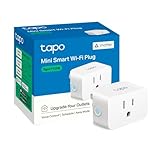
Before Matter, buying a smart plug meant checking a compatibility list and hoping your chosen ecosystem didn’t cut support in two years. Matter changes the math: if a device is Matter-certified, it works. Full stop.
TL;DR – The key facts
- Matter 1.0 launched October 2022; Matter 1.6 is current (2026)
- Backed by Apple, Google, Amazon, Samsung, and 500+ other companies via the Connectivity Standards Alliance (CSA)
- Runs over Wi-Fi or Thread (a low-power mesh network)
- Multi-admin: one device can live in Apple Home, Google Home, and Alexa simultaneously
- The spec sets hard minimums every certified device must meet – access control, read, and subscription limits included
- Cameras were excluded until Matter 1.5 (November 2025) – upgrading old camera hardware to Matter usually needs new firmware, and not every manufacturer has shipped it yet
- Your existing hub or ecosystem app handles Matter automatically if it’s been updated
How Matter actually works
Matter devices connect to your home network mainly two ways: Wi-Fi or Thread. (Ethernet is technically part of the spec too, but it shows up almost exclusively in hubs and border routers, not end devices.)
Wi-Fi Matter devices are straightforward – they join your network like any other device and communicate directly with your router. Simple, works with existing infrastructure, slightly higher power draw. Good for plugs, switches, and anything that’s already mains-powered.
Thread is more interesting. It’s a low-power mesh protocol designed for battery-operated devices like sensors and door locks. Thread devices don’t connect to your router directly – they form their own mesh network and communicate through a border router.
What’s a border router?
A border router is a device that bridges the Thread mesh to your IP network. The generation matters here more than people expect – not every Apple box in your living room qualifies, even if it looks identical to one that does.
- HomePod mini (any generation) – has had a Thread radio built in since it launched in 2020
- HomePod (2nd generation, 2023) – has Thread; the original 2018 HomePod doesn’t have the radio for it
- Apple TV 4K (2nd generation, 2021, or 3rd generation Wi-Fi + Ethernet, 2022) – has Thread; the first-generation 2017 model and the 3rd-generation Wi-Fi-only model don’t
- Google Nest Hub Max
- Amazon Echo (4th gen)
If you’ve got one of the newer boxes on that list already running, you have Thread infrastructure whether you knew it or not. Thread Matter devices find it automatically during setup – no separate purchase, no configuration beyond keeping the software current. For the fuller list of which devices qualify – and the buying decision if none of yours do – see our guide to Matter hubs and Thread border routers.
The practical difference: a Thread sensor can run on a coin battery for a year or more. A Wi-Fi sensor would drain the same battery in weeks. Right protocol, right device.
How strict is the Matter spec, actually?
Matter certification isn’t a logo slapped on after the fact. Version 1.4 of the spec sets hard floors on what a device has to support, and they apply to a premium smart lock exactly the same as a bargain-bin smart plug.
Every certified device has to guarantee at least four Access Control Entries for each ecosystem it’s commissioned into – the spec calls each one a “fabric.” Add a fifth ecosystem and the device needs at least 20 ACL entries total, four reserved for each fabric, so no single app can starve the others out of access.
Reading data works the same way. Any client on any fabric can pull up to nine data paths in a single Read Interaction, and gets at least three simultaneous Subscribe Interactions per fabric, each covering at least three attribute or event paths. That’s the mechanism behind Apple Home, Google Home, and Alexa all keeping live status for the same light bulb at once without one of them getting starved out. Battery-powered sensors running in low-power (ICD) mode get their own idle-interval instead of the standard 60-minute subscription refresh – the spec doesn’t force a coin-cell sensor to check in as often as a mains-powered plug.
None of this is optional for a manufacturer that wants the Matter logo on the box. It’s the actual mechanism behind “if it’s Matter-certified, it works” – not a marketing promise, a stack limit written into the spec. (Source: Matter 1.4.0 Core Specification, Section 2.11.)
Multi-admin – one device, multiple platforms
This is the feature nobody talks about enough. With Matter, a single device can be added to multiple ecosystems at the same time. Not choosing between Apple Home and Google Home – both, simultaneously.
The setup process uses a QR code or numeric code during pairing, and each ecosystem adds the device independently through a process called “multi-admin commissioning.” The device itself tracks which controllers have access to it.
Practically: you add your Matter light to Apple Home for Siri automation and also to Google Home because your partner uses an Android phone. Both work. No bridge, no workarounds, no one person having to change ecosystems. That’s the real fix for a mixed-phone household – see our guide on using HomeKit devices from an Android phone for the full walkthrough.
This is a real shift. Pre-Matter, adding a Zigbee device to Apple Home required a HomeKit-compatible hub like the Hue bridge. The manufacturer had to build and maintain that bridge. Now the protocol handles it directly.
Matter native vs. HomeKit-bridged – what’s actually different
A Matter device and a bridged Zigbee bulb both end up as an accessory in the Apple Home app. Under the hood, they get there through completely different handshakes.
A Matter-native device commissions using Matter’s own session scheme: PASE (Password-Authenticated Session Establishment) for the initial pairing with your setup code, then CASE (Certificate-Authenticated Session Establishment) for every session after that. No bridge, no protocol translation in between – the device speaks Matter directly to whichever fabric is commissioning it.
A HomeKit-bridged device – a Hue bulb going through a Hue Bridge, or anything routed through Homebridge – runs a different handshake. Apple’s HomeKit Accessory Protocol uses Stanford’s Secure Remote Password protocol for the first pairing (modified with SHA-512 and the 3072-bit group from RFC 5054), then switches to Curve25519 key exchange for every reconnection, with the session key derived through HKDF-SHA-512 and traffic encrypted with ChaCha20-Poly1305. The bridge has to run that handshake correctly for every device it fronts, or the Home app won’t recognize it as a valid accessory.
You won’t notice the difference day to day – both show up as normal HomeKit accessories, tap to control, same as anything else. The practical gap is what’s standing between your phone and the device: a Matter-native lock talks straight to Apple’s fabric, while a bridged one has an extra hop and an extra piece of hardware that has to stay online. For the full breakdown of what a bridge does and when you still need one, see our HomeKit bridge guide.
Matter vs Zigbee vs Z-Wave
Matter doesn’t kill the older protocols – it just changes when you’d choose them. The full breakdown is in our smart home automation protocols guide, but here’s the short version.
See also: Z-Wave vs Zigbee vs Wi-Fi for measured mesh recovery times and Z-Wave’s own node-count math – the numbers behind why Zigbee and Z-Wave still hold up at scale.
The reliability story matters more than the marketing slides. A Matter device running over Thread and a Zigbee mesh built the same week don’t behave identically once hop count and device density climb – Thread’s self-healing IPv6 mesh and Zigbee’s older routing layer diverge in ways a spec sheet won’t show you. The real-hardware numbers – route recovery times, packet loss at distance – are in the Z-Wave vs Zigbee vs Wi-Fi comparison linked above.
Zigbee
Zigbee has a massive installed base – Philips Hue, IKEA TRADFRI, and hundreds of other devices run it. Those devices aren’t going anywhere, and Zigbee hubs (Hue Bridge, Aeotec Smart Home Hub, etc.) still work fine. Philips Hue handles the translation by exposing Hue bulbs to Matter through a bridge update – your Hue ecosystem works, and it’s visible to Apple Home, Google Home, and Alexa without any manual pairing per bulb.
If you’ve already got a Zigbee setup, there’s no urgent reason to replace it. The bridge approach works well enough.
Z-Wave
Z-Wave is still strong in the smart lock and security sensor space. The Z-Wave Alliance has committed to Matter integration for hub manufacturers, so existing Z-Wave devices will likely get Matter exposure via hub updates, not device replacements. If you’ve invested in Z-Wave, that investment isn’t stranded.
When you’d still choose Zigbee or Z-Wave
- You already have a large Zigbee/Z-Wave setup and don’t want to repurchase devices
- You want access to a wider device catalog – Matter-certified devices are still a subset of what’s available
- You’re running a serious home automation hub like Home Assistant, which handles all three protocols natively
For new builds or first-time buyers in 2026, Matter is the simpler default. For existing setups, the bridge approach means you’re not forced to replace anything.
Which brands support Matter (and which don’t)
The list of Matter-certified devices has grown a lot since 2022. Here’s where things stand:
Active Matter support
- Philips Hue – via Matter bridge update; all existing Hue bulbs work
- Eve – Thread-based Matter devices, early adopter, strong implementation
- Nanoleaf – Matter on newer panels and light strips
- Aqara – Matter hub exposes Zigbee devices to Matter ecosystems
- IKEA TRADFRI – Matter bridge via DIRIGERA hub
- Meross – plugs and switches with native Matter support
- Yale – Matter on Assure Lock 2 series (requires Matter 1.2+ hub)
Slower or limited rollouts
- Kasa (TP-Link) – only newer models support Matter; the large existing catalog of older Kasa plugs and switches does not
- Ring – announced Matter support but rollout has been limited and slow
- Wyze – still no Matter support as of mid-2026; Wyze has consistently deprioritized it
The camera problem
Cameras were explicitly excluded from Matter 1.0 through 1.4. Matter 1.5 (November 2025) finally added a camera spec, but it requires new firmware from manufacturers – and most haven’t shipped it yet. If you’re shopping for a smart camera that works across ecosystems in 2026, check specifically for Matter 1.5 certification on the box. Don’t assume.
Smart locks have worked since Matter 1.0, but the finer access-control features – PIN codes, RFID credentials, that kind of thing – arrived with Matter 1.2. A lock running on an older stack will still lock and unlock over Matter; it just won’t expose those extras.
Do you need to do anything?
Mostly no.
If you’re running Apple Home, Google Home, or Alexa with hardware from the past few years, your ecosystem already speaks Matter. The updates happened automatically. When you buy a Matter-certified device, you pair it like any other device – the app walks you through it.
The one thing to check: if you want Thread devices, make sure you have a border router in your home. If you have a HomePod mini, a 2nd-generation HomePod, a 2nd-generation or Wi-Fi+Ethernet 3rd-generation Apple TV 4K, a Nest Hub Max, or a 4th-gen Echo, you’re already set.
If you’re running an older ecosystem hub (SmartThings v2, Wink, older Vera), check for firmware updates. Hub manufacturers have been releasing Matter support incrementally – some older hubs got it, some didn’t.
For Philips Hue and HomeKit specifically – if you’re already using the Hue Bridge with Apple Home, turning on Matter support in the Hue app links your existing bulbs without re-pairing each one.
The bottom line: Matter is a background-level infrastructure improvement. Most people won’t notice it directly – they’ll just buy a light, add it to whatever app they use, and it works. That’s the point.